
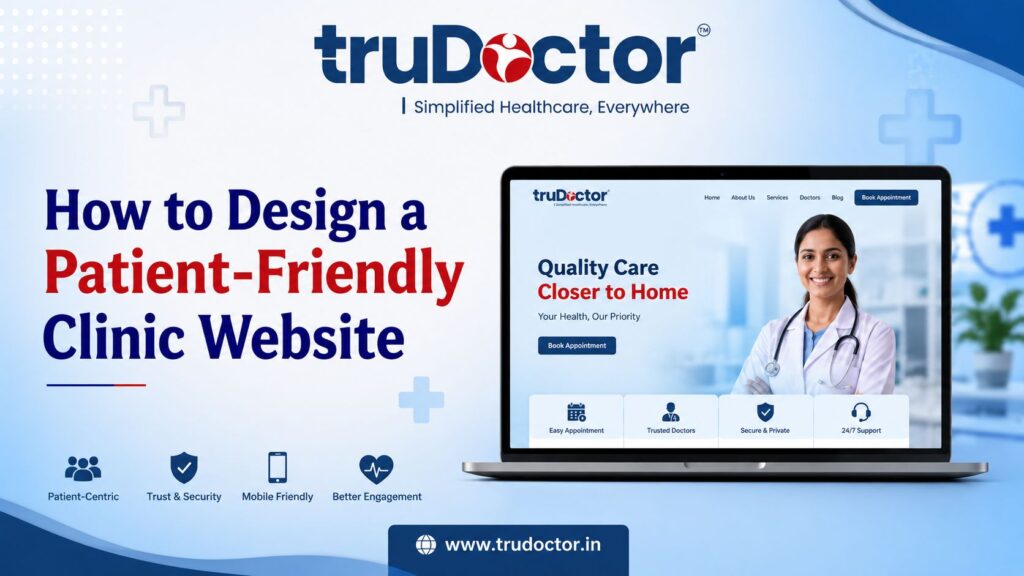
Today, most patients search online before choosing a doctor or clinic. If your website is slow, difficult to navigate, or lacks important information, visitors may leave and book an appointment with another healthcare provider. A patient-friendly clinic website helps create a positive first impression, builds trust, and makes it easier for patients to find the information they need, whether it’s your services, doctor details, or online appointment options.
In this guide, you’ll learn how to design a patient-friendly clinic website that is easy to use, mobile-friendly, and optimized for both patients and search engines. We’ll cover the essential features, common mistakes to avoid, and proven strategies that can help your clinic improve patient experience, rank higher in Google search results, and attract more appointment bookings.
Why Clinic Website Design Matters More Than Ever
Today, a clinic’s website is more than just an online brochure—it’s often the first place where patients learn about your services. A patient-friendly clinic website helps visitors quickly find the information they need, builds trust, and encourages them to book an appointment. Since most people search online before choosing a doctor, having a professional clinic website design can directly influence their decision.
First Impressions Influence Patient Decisions
Your website creates the first impression of your clinic. A clean layout, clear navigation, and professional design make patients feel confident about your services. On the other hand, a slow or outdated website can cause visitors to leave within seconds.
Patients Research Online Before Booking
Before scheduling an appointment, patients usually check doctor profiles, treatments, clinic timings, patient reviews, and contact details. A well-organized healthcare website design makes this information easy to find, helping patients make informed decisions without frustration.
Your Website Works as a Digital Receptionist
A modern doctor website design should answer common questions, display clinic hours, provide directions, and allow online appointment booking. This improves the patient experience while reducing unnecessary phone calls and saving time for your staff.
Better Website Design Supports Local SEO
A well-optimized website helps your clinic appear in Google Search and Google Maps when people search for services like “doctor near me” or “clinic near me.” Combining a patient-friendly clinic website with local SEO, fast loading speed, mobile responsiveness, and optimized service pages increases your chances of attracting nearby patients.
Increases Patient Trust and Appointment Bookings
Patients are more likely to choose a clinic that looks professional, secure, and easy to use. Features like genuine patient testimonials, doctor qualifications, clear call-to-action buttons, and online booking forms build confidence and encourage visitors to become patients.
How to Design a Patient-Friendly Clinic Website
A patient-friendly clinic website is designed to help visitors quickly find information, build trust, and book an appointment without confusion. It should be simple, fast, mobile-friendly, and focused on the needs of patients while also following healthcare website design and clinic website SEO best practices.
Understand Your Patients’ Needs
Before designing your website, think about what your patients are looking for. Most visitors want to know about your services, doctor qualifications, clinic timings, location, consultation fees, and appointment options. Organize this information clearly so patients can find it within a few clicks.
Keep the Design Simple and Professional
A clean layout with readable fonts, clear headings, and enough white space makes your clinic website design more attractive and easier to use. Avoid cluttered pages, too many pop-ups, or distracting animations that can overwhelm visitors.
Make Your Website Mobile-Friendly
Many patients search for doctors using their smartphones. A responsive medical website design ensures your website looks and works well on all screen sizes. Mobile-friendly websites also perform better in Google search results.
Improve Website Speed
A slow-loading website can cause visitors to leave before viewing your services. Compress images, enable browser caching, and use reliable hosting to improve loading speed. Fast websites provide a better user experience and support healthcare website SEO.
Create Easy Navigation
Your website menu should be simple and organized. Important pages like Home, About Doctor, Services, Appointment, Blog, and Contact should be easy to find. Clear navigation helps patients reach the information they need quickly.
Add Online Appointment Booking
A simple online booking system allows patients to schedule appointments anytime. Include a visible “Book Appointment” button on every important page to increase conversions and improve patient convenience.
Build Trust with Essential Information
Show doctor profiles, qualifications, years of experience, clinic photos, patient testimonials, and contact details. Displaying genuine reviews and certifications helps visitors feel confident about choosing your clinic.
Optimize for Local SEO
To attract nearby patients, include your clinic name, address, phone number (NAP), Google Maps, and location-based keywords naturally across your website. Optimizing your patient-friendly clinic website for local SEO improves your visibility in “doctor near me” and local search results.
Focus on Accessibility and Security
Make your website easy for everyone to use by choosing readable fonts, good color contrast, and descriptive buttons. Secure your website with HTTPS and include a privacy policy to protect patient information and build trust.
Regularly Update Your Website
Keep your website fresh by updating service pages, doctor information, blogs, clinic timings, and patient resources. Regular updates improve user experience, strengthen SEO, and show both patients and search engines that your website is active and reliable.
Best Clinic Website Pages You Should Include
A patient-friendly clinic website should include well-organized pages that help visitors quickly find the information they need. A clear website structure improves patient experience, builds trust, and supports better search engine rankings.

Homepage
Your homepage is the first thing most visitors see. It should clearly explain who you are, what services you offer, and how patients can book an appointment. Include a strong call-to-action (CTA), contact details, and links to important pages.
About the Doctor
Create a dedicated page with the doctor’s qualifications, experience, areas of expertise, certifications, and achievements. Adding a professional photo helps patients feel more confident before booking.
Services or Treatments Page
List each medical service on a separate page whenever possible. Explain the treatment, who it is for, its benefits, and what patients can expect. This improves both user experience and healthcare website SEO.
Appointment Booking Page
Make it easy for patients to schedule appointments online. Include a simple booking form, available consultation timings, and options for in-person or online consultations if applicable.
Patient Testimonials
Show genuine reviews and success stories from patients. Positive feedback builds trust and encourages new visitors to choose your clinic.
Blog or Health Education Page
Publish helpful articles that answer common health questions and educate patients. A regularly updated blog helps establish authority and brings more organic traffic to your clinic website.
Contact Us Page
Include your clinic address, phone number, email, Google Maps location, working hours, and an easy-to-use contact form. Ensure your business information matches your Google Business Profile for better local SEO.
FAQs Page
Answer common patient questions about appointments, treatments, consultation fees, insurance, and clinic policies. A well-written FAQ page improves user experience and increases the chances of appearing in Google’s featured snippets.
Privacy Policy and Terms & Conditions
These pages help protect patient data, improve website credibility, and demonstrate professionalism. They are essential for every medical website design, especially if your website collects patient information online.
How Website Design Improves Local SEO
A patient-friendly clinic website does more than create a good first impression—it also helps your clinic rank higher in local search results. When your website is well-designed, fast, mobile-friendly, and optimized with local information, search engines understand your business better and are more likely to show it to people searching for healthcare services nearby.
Use Local Keywords Naturally
Include location-based keywords throughout your website, such as your city, area, or neighborhood. For example, instead of writing only “Dentist,” use phrases like “Dentist in Varanasi” or “Skin Clinic in Lucknow.” Add these keywords naturally in page titles, headings, service pages, and meta descriptions to improve local search visibility.
Connect Your Website with Google Business Profile
Your website should be linked to your Google Business Profile. Make sure your clinic name, address, phone number (NAP), website URL, and business hours are exactly the same on both platforms. This consistency helps Google trust your business and improves your chances of appearing in Google Maps and the Local Pack.
Create Dedicated Location Pages
If your clinic has multiple branches or serves different cities, create a separate page for each location. Each page should include unique content, local keywords, clinic details, directions, and nearby landmarks instead of copying the same information across pages.
Add Local Business Schema Markup
Schema markup is structured data that helps search engines understand your website. Adding a local business, medical clinic, or physician schema can highlight important details like your address, phone number, opening hours, reviews, and services, improving your visibility in search results.
Keep Your NAP Information Consistent
Display your clinic’s Name, Address, and Phone Number (NAP) clearly on every page, preferably in the website footer and contact page. Consistent NAP information across your website, Google Business Profile, and online directories strengthens your local SEO.
Showcase Patient Reviews
Positive patient reviews build trust and improve your online reputation. Display genuine testimonials on your website and encourage satisfied patients to leave reviews on your Google Business Profile. Reviews are an important local ranking factor and can influence new patients to choose your clinic.
Improve Internal Linking
Connect related pages within your website, such as linking treatment pages to doctor profiles, blog articles, and appointment pages. A strong internal linking structure helps search engines crawl your website more efficiently while making it easier for visitors to find useful information.
Embed Google Maps
Add an interactive Google Map on your Contact Us page so patients can easily locate your clinic. This improves user experience and sends additional location signals to search engines, supporting better local SEO performance.
Optimize for Nearby Searches
Create helpful content targeting nearby areas you serve. For example, if your clinic is in Varanasi, mention nearby localities where relevant and create location-specific service pages when appropriate. This increases your chances of appearing in “near me” and location-based searches.
SEO Best Practices for Clinic Websites
A patient-friendly clinic website should not only look professional but also be optimized for search engines. Good SEO helps your clinic appear higher in Google search results, making it easier for potential patients to find your services. Here are the most important SEO best practices every clinic website should follow.
Write SEO-Friendly Meta Titles and Meta Descriptions
Every page should have a unique meta title and meta description that clearly describe the content. Include relevant keywords such as clinic website design, healthcare website design, or your target location where appropriate. A compelling title and description can also improve your click-through rate from search results.
Use a Clear Heading Structure
Organize your content using H1, H2, and H3 headings. A proper heading structure makes your content easier to read for both users and search engines. It also helps Google understand the main topics on your page.
Optimize Images
Large image files can slow down your website. Compress images without losing quality, use modern formats like WebP, and specify image dimensions to improve page speed. A faster website provides a better patient experience and supports higher search rankings.
Add Descriptive Alt Text
Every image should include descriptive alt text that explains what the image shows. This improves accessibility for users with screen readers and helps search engines understand your images.
Improve Core Web Vitals
Google considers page experience when ranking websites. Focus on fast loading times, smooth page interactions, and visual stability. Optimizing Core Web Vitals can improve both user satisfaction and SEO performance.
Create an XML Sitemap and Robots.txt File
An XML sitemap helps search engines discover your website pages more efficiently, while the robots.txt file tells search engine crawlers which pages they should or shouldn’t index. Both are essential for proper website indexing.
Use Breadcrumb Navigation
Breadcrumbs help visitors understand where they are on your website and make navigation easier. They also improve your website’s structure, which can enhance search engine visibility.
Build a Strong Internal Linking Structure
Link related pages such as services, doctor profiles, blog posts, and contact pages. Internal links help visitors find useful information while allowing search engines to crawl your healthcare website more effectively.
Link to Trusted Sources
When sharing medical or healthcare information, link to reliable and authoritative sources where appropriate. This improves content credibility and builds trust with readers.
Implement Medical Schema Markup
Use structured data such as Medical Clinic, Physician, FAQ, and Local Business schema to help search engines better understand your content. Schema markup can increase your chances of earning rich results and featured snippets in Google.
Mobile-First Design: Why It Matters for Clinics
A patient-friendly clinic website should be designed for mobile devices first because most patients search for doctors, clinics, and healthcare services using their smartphones. A mobile-friendly website makes it easy to browse services, read doctor profiles, find contact details, and book appointments without any difficulty. Since Google also uses mobile-first indexing, a responsive website can improve both user experience and search engine rankings.
Mobile User Behaviour
Most patients look for healthcare information when they need it quickly. They expect a clinic website to load fast and display properly on their phone. If the text is too small, buttons are hard to tap, or pages take too long to load, visitors are more likely to leave and choose another clinic.
Thumb-Friendly Buttons
Buttons should be large, clear, and easy to tap with one hand. Important actions such as “Book an Appointment,” “Call Now,” “WhatsApp,” and “Get Directions” should be visible without requiring users to zoom or search through the page. This improves the overall patient experience and increases appointment conversions.
Mobile Booking Forms
Keep appointment forms short and simple. Ask only for essential information such as the patient’s name, phone number, preferred date, and reason for the visit. A quick and user-friendly booking process encourages more patients to complete their appointments.
Fast Mobile Speed
Website speed plays a major role in both SEO and user satisfaction. Compress images, enable browser caching, use modern image formats, and remove unnecessary scripts to improve loading time. A fast-loading clinic website design helps reduce bounce rates and supports better Core Web Vitals performance.
Responsive Design Checklist
Before launching your healthcare website design, make sure it meets these essential mobile-friendly standards:
- Responsive on all screen sizes
- Fast loading speed (preferably under 3 seconds)
- Easy-to-read fonts without zooming
- Large, thumb-friendly buttons
- Simple navigation menu
- Click-to-call phone number
- Online appointment booking
- Embedded Google Maps for directions
- Optimized images with descriptive alt text
- Secure HTTPS connection
Building Trust Through Your Clinic Website
A patient-friendly clinic website should do more than look attractive—it should make patients feel confident about choosing your clinic. When visitors see clear information, genuine reviews, and professional credentials, they are more likely to trust your services and book an appointment.
Showcase Doctor Qualifications and Experience
Create a dedicated doctor profile that includes qualifications, years of experience, specialties, certifications, and professional achievements. Adding a friendly photo and a short introduction helps patients feel more connected before their first visit.
Display Genuine Patient Reviews and Testimonials
Patient testimonials are one of the strongest trust signals for any clinic website design. Display authentic reviews from Google or other trusted platforms to show real patient experiences and build credibility.
Highlight Awards, Certifications, and Memberships
If your clinic or doctors have received awards, certifications, or are members of recognized medical organizations, display them on your website. These details reassure patients that they are choosing qualified healthcare professionals.
Use High-Quality Photos and Videos
Add real photos of your clinic, doctors, staff, and treatment rooms instead of generic stock images. Short introduction videos or virtual clinic tours can make your healthcare website design more personal and trustworthy.
Keep Contact Information Clear and Up to Date
Make it easy for patients to find your phone number, clinic address, working hours, Google Maps location, and appointment booking options. Accurate contact details improve both patient convenience and local SEO.
Protect Patient Privacy and Website Security
Use HTTPS (SSL), display a privacy policy, and secure online appointment forms to protect patient information. A secure website increases confidence and encourages patients to share their details safely.
Common Clinic Website Design Mistakes to Avoid
A patient-friendly clinic website should make it easy for patients to find information, trust your clinic, and book an appointment. However, many clinics make simple website design mistakes that reduce patient engagement, hurt local SEO, and lead to lost appointments. Here are the most common mistakes to avoid.
Slow Website Loading Speed
Patients expect a website to load within a few seconds. A slow clinic website design can frustrate visitors, increase bounce rates, and negatively affect your Google rankings. Compress images, use reliable hosting, and optimize your website for better performance.
Poor Navigation
If patients struggle to find services, doctor details, or contact information, they are likely to leave your website. Keep your menu simple, organize pages clearly, and make important information easy to access.
Not Mobile-Friendly
Most patients search for healthcare services on their smartphones. A healthcare website design that isn’t mobile-responsive can provide a poor user experience and reduce appointment bookings. Ensure your website works smoothly on all screen sizes.
No Online Appointment Booking
Patients prefer booking appointments online without making a phone call. Missing an online booking system can result in lost opportunities. Add a simple and secure appointment form or booking feature to improve convenience.
Missing Trust Signals
Patients want to know they are choosing a reliable clinic. If your website lacks doctor profiles, qualifications, patient testimonials, certifications, or clinic photos, it may appear less trustworthy. Display these elements prominently to build confidence.
Weak Calls-to-Action (CTAs)
A website should clearly guide visitors on what to do next. Buttons like “Book an Appointment,” “Call Now,” or “Contact Us” should be visible on every important page to encourage patient action.
Poor SEO Optimization
Even the best doctor website design won’t attract visitors if it isn’t optimized for search engines. Use relevant keywords, optimize page titles and meta descriptions, add image alt text, and create helpful content to improve your healthcare website SEO.
Outdated or Incomplete Information
Incorrect clinic timings, old doctor information, or missing contact details can frustrate patients and reduce trust. Regularly update your website with accurate services, contact information, and clinic announcements.
Ignoring Accessibility
A website should be easy for everyone to use, including elderly patients and people with disabilities. Use readable fonts, good color contrast, descriptive buttons, and clear headings to improve accessibility and the overall patient experience.
Missing Local SEO Elements
Many clinics forget to include Google Maps, location-specific keywords, and consistent Name, Address, and Phone Number (NAP) details. These local SEO elements help your patient-friendly clinic website rank better in local search results and attract nearby patients.
Why Choose TruDoctor for Healthcare Website Design?
A patient-friendly clinic website should do more than just look attractive—it should help your clinic build trust, improve patient experience, and generate more appointment bookings. At TruDoctor, we specialize in healthcare website design that is tailored for doctors, clinics, hospitals, and healthcare brands. Every website is designed with your patients’ needs and your business goals in mind.
Healthcare Industry Expertise
Unlike general web design agencies, TruDoctor focuses exclusively on the healthcare industry. We understand what patients look for when visiting a clinic website, from clear doctor profiles and treatment information to easy appointment booking and trust-building elements.
SEO-Optimized Website Design
A great website is ineffective if patients cannot find it online. Our clinic website design follows SEO best practices, including fast loading speed, mobile responsiveness, optimized page structure, and local SEO strategies to improve your visibility in Google search results.
Mobile-Friendly & Easy to Use
Most patients browse healthcare websites on their smartphones. That’s why every website we build is fully responsive, easy to navigate, and designed to provide a smooth user experience across all devices.
Designed to Increase Patient Conversions
We create websites that encourage visitors to take action. From clear call-to-action buttons and online appointment forms to WhatsApp integration and click-to-call features, every element is designed to help convert website visitors into patients.
Ongoing Support & Digital Growth
Your website should grow with your practice. TruDoctor offers continuous website maintenance, SEO improvements, and digital marketing support to keep your patient-friendly clinic website secure, updated, and competitive in the healthcare market.
Also Read: https://trudoctor.in/lead-generation-for-doctors-without-paid-ads/
Conclusion
A patient-friendly clinic website is more than just an online presence—it is a powerful tool for building trust, improving patient experience, and increasing appointment bookings. By focusing on clinic website design, mobile responsiveness, fast loading speed, easy navigation, and healthcare website SEO, you can make it easier for patients to find and choose your clinic. Regular updates, quality content, and strong local SEO strategies also help improve your Google rankings. Whether you run a clinic, hospital, or private practice, investing in a well-designed website can support long-term growth. If you need expert guidance, TruDoctor can help you create a website that attracts more patients and delivers measurable results.
Frequently Asked Questions
1. What is a patient-friendly clinic website?
A patient-friendly clinic website is a website that is easy to use, loads quickly, and provides clear information about doctors, treatments, contact details, and appointment booking. It helps patients find what they need quickly while creating trust in your healthcare services.
2. Why is a patient-friendly clinic website important?
A patient-friendly website improves the overall patient experience and makes it easier for visitors to book appointments. It also supports local SEO, increases online visibility, and helps clinics attract more patients through Google Search.
3. What features should a clinic website include?
A good clinic website should include doctor profiles, service pages, online appointment booking, patient reviews, contact information, Google Maps, FAQs, and a mobile-friendly design. These features improve usability and encourage more patient inquiries.
4. How does clinic website design affect SEO?
A well-optimized clinic website design improves page speed, mobile usability, site structure, and user experience, which are important Google ranking factors. Combining these with local SEO and quality content can help your website rank higher in search results.
5. Why should a clinic website be mobile-friendly?
Most patients search for healthcare services using their smartphones. A mobile-friendly website provides a better browsing experience, reduces bounce rates, and makes it easier for patients to contact your clinic or book appointments.
6. How can a clinic website increase patient appointments?
A website with clear calls-to-action, online booking forms, click-to-call buttons, patient testimonials, and easy navigation encourages visitors to take action. These features improve conversions and help turn website visitors into patients.
7. How often should a clinic website be updated?
A clinic website should be updated regularly with fresh blogs, new services, doctor information, patient testimonials, and SEO improvements. Regular updates keep the website relevant, improve search rankings, and build patient trust.
8. What is the best platform for a clinic website?
WordPress is one of the most popular platforms for healthcare website design because it is SEO-friendly, secure, mobile-responsive, and easy to manage. It also supports appointment booking, healthcare plugins, and future website growth.
9. How can local SEO help a clinic website?
Local SEO helps your clinic appear in Google Search and Google Maps when nearby patients search for healthcare services. Optimizing your website with location-based keywords, Google Business Profile, and consistent contact information can increase local visibility.
10. Why should I hire a healthcare website design agency?
A healthcare-focused agency understands the unique needs of doctors, clinics, and hospitals. They create a patient-friendly clinic website that combines professional design, healthcare website SEO, local SEO, and conversion-focused features to help attract more patients and grow your practice.